One change.
Everything moves.

Schedule a demo
Vanshika...● Live
MONOPOLY
ACT I
SCENE I
(The lobby of shower room in a luxurious country club, very well-lit with chandeliers and halogens, massive sofas in the center with towels on both sides and two people sitting on either side of the sofa, seemingly distraught. A younger girl, Willie is seen standing at one of the two entrances to the room.)
MARLA
She's gone to take a shower, when she is back you will have to be the one to break the news to her. I'm already the bad cop, it's time you take up the tough parts of parenting.
DANIEL
I don't want to do that to her, it's going to break her, I'm still trying to speak to the manager and see if there is any way we could defer the payment a little.
MARLA
Dan, I know this is not what we planned for her but keeping her in an environment where she feels less than, will do more bad than good. I believe in her enough to know that she will be able to understand if we explain the situation to her.

Breakdown and Shotlists

3
Scenes
👥
7
Characters
8
Locations
15
Props
2
Vehicles
11
Shot Suggestions
SC. 1INTDAY3.5 pgs ▾
INT. COUNTRY CLUB SHOWER ROOM LOBBY - DAY
Willie's parents Marla and Daniel discuss their financial difficulties and inability to afford the country club membership while Willie overhears.
SC. 2INTDAY4.0 pgs ▾
INT. PENTHOUSE DRAWING ROOM - DAY
Sara plays piano while her mother Beth criticizes her attitude. Her father Daniel arrives with bad financial news.
SC. 3INTDAY4.5 pgs ▾
INT. SCHOOL CLASSROOM - DAY
In a middle school classroom, Sara breaks Willie's colored pencils as a test to show Willie how she stands up for herself at school.
👤
Willie3, 1
🗑
BASIC INFORMATION
Description
Female, 14, Caucasian with sharp features. Willie is a supporting character appearing briefly in the scene.
👤
Marla1
🗑
👤
Daniel1, 2
🗑
👤
Sara3, 1, 2
🗑
👤
Beth2
🗑
👤
Other Students3
🗑
Country Club Shower Room Lobby1
🗑
Penthouse Drawing Room2
🗑
Staircase2
🗑
School Classroom3
🗑
Penthouse Staircase
🗑
McDonald's
🗑
Pier
🗑
Colored Pencils3
🗑
Pencil Pouch3
🗑
Lunchbox3
🗑
🚗
Multiple Cars (mentioned)2
🗑
Chandeliers1
🗑
Halogen Lights1
🗑
Piano2
🗑
● 1 selected↘ Production Canvas
SCENEWillie's parents discuss their finances...
CHARACTERWillie's mother, dealing with family financial...
LOCATIONLuxurious lobby with chandeliers, halogens...
PROPCountry club towels placed on sofas...
COSTUMEUpscale casual clothing appropriate...
EQUIPMENTLuxurious lighting fixtures...

Meet Indra

Our own model, generating against your production graph.

“This breakdown would have taken us three weeks. Now it's fifteen minutes.”

Kirby Adams, VP of Physical Production, Miramax
Read the story

One system, script to final cut.

Budgets recalculate themselves

Fringes, tax rebates, ATL/BTL, contingency. Move a day and every line reflows live
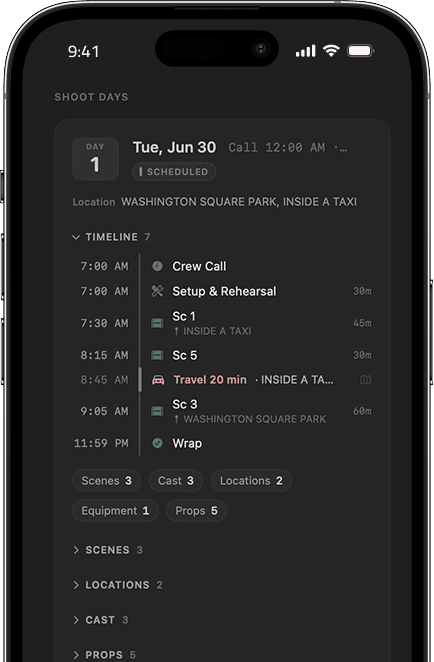
iOS shoot-day view: Day 1, Tue Jun 30, scheduled at Washington Square Park, with a live call-sheet timeline from Crew Call through Wrap

Scheduling that reaches the set

An iOS companion synced to live locations and real maps. Call sheets update in real time

Every department, the right access

Directing, camera, cast, editorial, sound, each on the same state, with permission levels that fit the role

YouLightsKiddo

Your IP stays with you

Models run local to your production, so scripts and footage never train anyone else's, and every department stays on one consistent source of truth

Ask Ray anything

Get any answer, doc or image you need, and Ray does the recalculating. You make the call

Your whole slate, in one place

Physical stages and sets, every project, and where each one stands, at a glance
I · Pre-productionBreakdown and Shotlists

Every element tagged automatically.

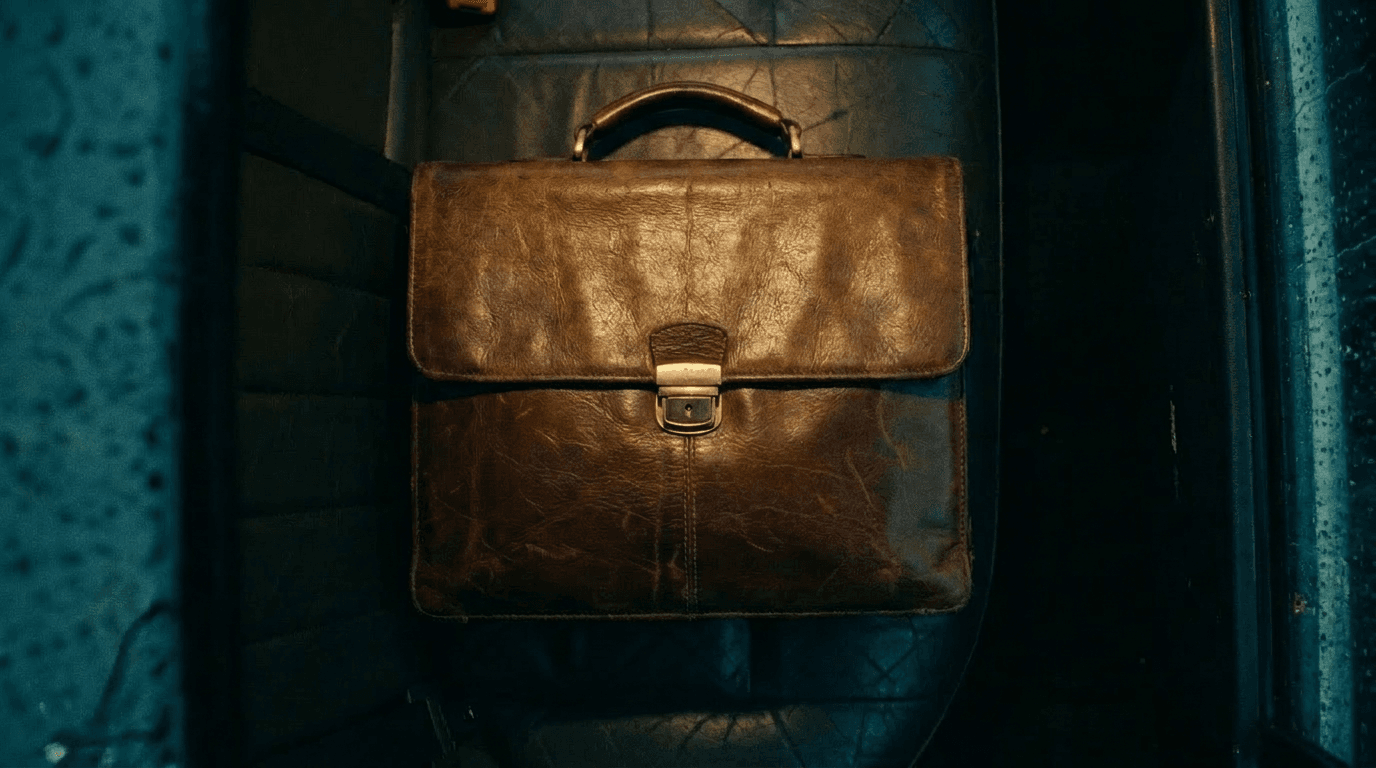
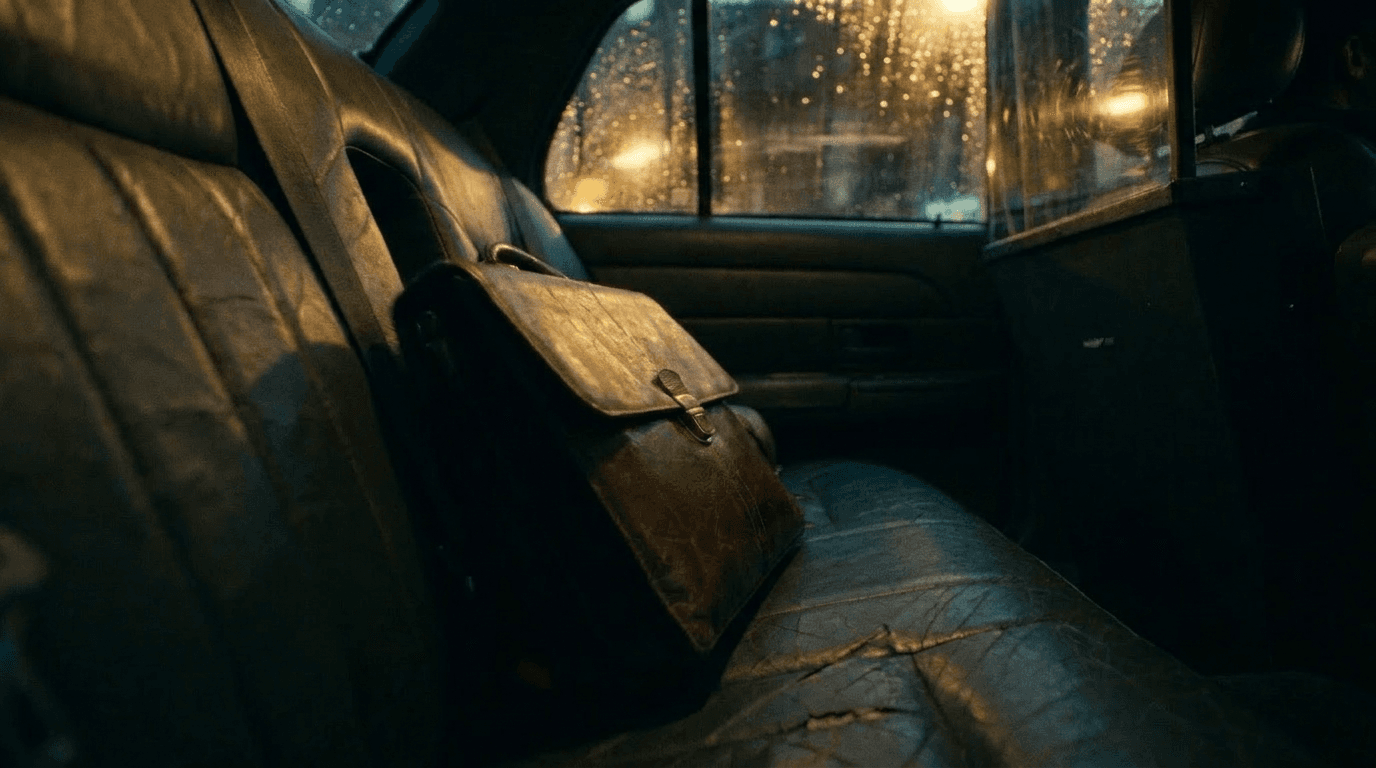
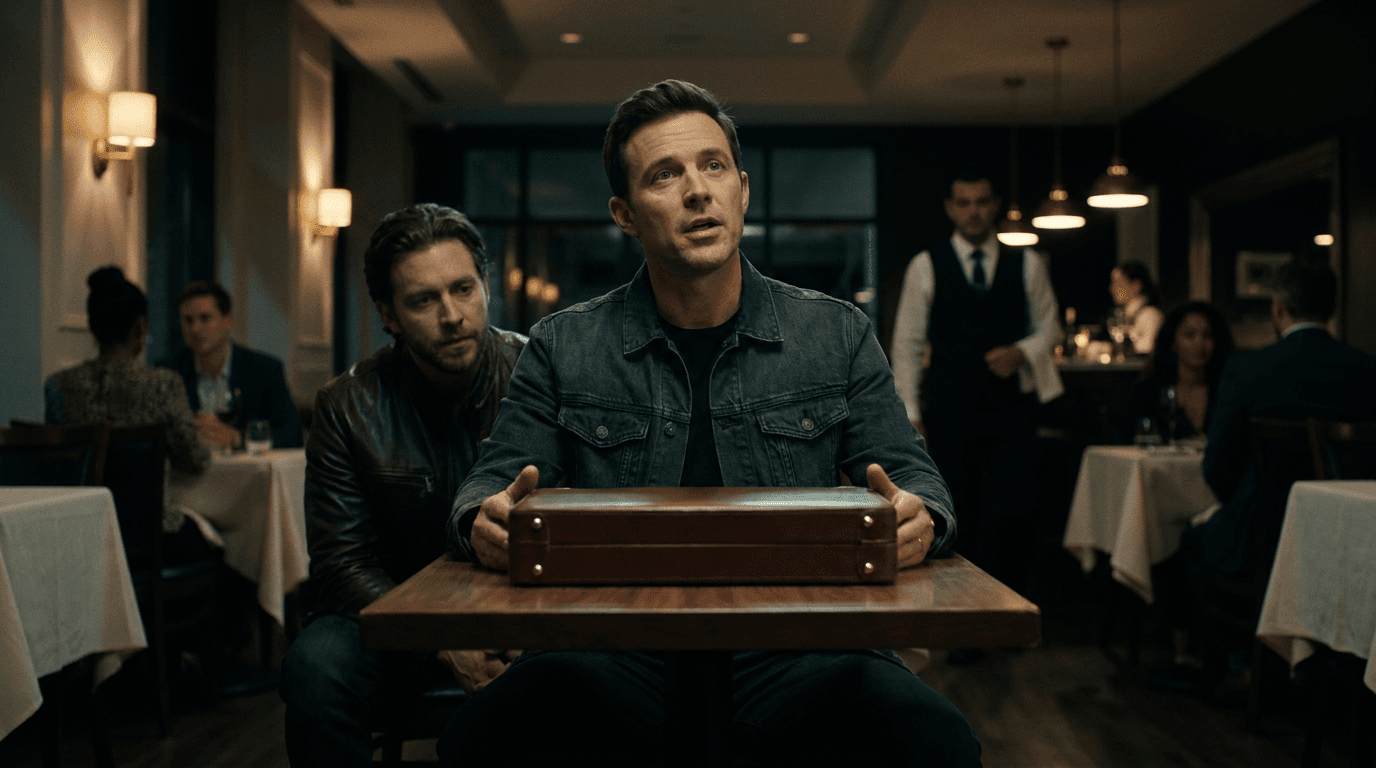
Voices FADE IN: BLACK. Murmurs, like a crowd of voices behind a wall. Faint voices slowly growing. CUT TO: INT. INSIDE A TAXI - NIGHT A little leather case rattling by. It’s moving a little bit. Clearly the sounds are coming from this case. The taxi stops. A hand picks it up and exits the vehicle. The taxi pulls out. TITLE CARD: VOICES CUT TO: INT. A RESTAURANT - NIGHT MICHAEL, 20s, sharp features, is writing something furiously on the table, waiting for COLLIN, forties, ice cold demeanor. COLLIN pauses gracefully over MICHAEL’s shoulder to read what he’s writing. He is unimpressed. So he knocks the water glass over the paper as he strides to sit down. MICHAEL is taken aback, but doesn’t make a fuss. COLLIN Well then? MICHAEL Good news? Bad news? COLLIN 104 linked nodes Cinema Camera Packa… EQUIPMENT Shot 1: Dialogue Shot · Sc. 4 Shot 1:… Shot Vo… 100% SmartType Scenes 9 items All PDF Add SCENES 9 VOICES SCENE 1 INT DAY 0.4pgs In Review INT. INSIDE A TAXI - DAY A leather case rattles in a taxi at dawn; a passenger grabs it and exits. A title card reads “VOICES.” LOCATIONS1 SETS1 PROPS2 VEHICLES1 Shot list flows Flow 71GB3 shots 1 2 3 Flow DK791 shots 1 SCENE 2 INT NIGHT 1.2pgs In Review INT. A RESTAURANT - NIGHT Michael, a young writer, waits for Collin — his cold representative. Collin spills water on his work, then offers a deal with a leather case. CAST3 LOCATIONS1 SETS1 SHOT Shot 2: OTS Add to AI Draft Details Links History SHOT INFORMATION Action Collin pauses behind Michael, reads; unimpressed silence. Description OTS: Collin reads over Michael; his shadow swallows the page. Shot TypeOTS Shot SizeMedium Duration6s Shot Number2 Flow NameFlow 71GB CAMERA SETTINGS Camera AngleOver-shoulder Camera HeightEye Camera MovementMinimal drift
Shot List VOICES · Scenes 1–2 · 7 shots SHOTS 7 1.1 WIDE Taxi interior — establishing 0:32 A-cam · 24mm 1.2 MEDIUM Passenger, the leather case 0:28 A-cam · 35mm 1.3 CU Hands on the case 0:18 B-cam · 50mm 2.1 WIDE Restaurant — Michael waits 0:40 A-cam · 24mm 2.2 OTS Collin over Michael’s shoulder 0:06 A-cam · 50mm 2.3 INSERT Water floods the writing 0:04 A-cam · 60mm 2.4 CU Michael, unmoved 0:22 A-cam · 40mm 7 shots
SHOT Shot 3: Insert Add to AI Draft Details Links History SHOT INFORMATION Action Collin knocks glass; water floods Michael’s writing in on… Description Insert: water spills, ink blooms; authorship literally washed out. Shot Type Insert Shot Size Close-up Duration 4s Shot Number 3 Flow Name Flow 71GB CAMERA SETTINGS Camera Angle Top-down Camera Height Overhead Camera Movement Locked-off Movement Speed None Movement Direction None CAMERA EQUIPMENT Camera Type Cinema Camera Package (A-cam) Lens Type Macro/Prime Focal Length 60mm Aperture T4.0 TECHNICAL SETTINGS Frame Rate 24fps Shutter Angle 180 ISO 1000 White Balance 3200K COMPOSITION Composition Paper fills frame; water line cuts through text; gla… Focus Ink and water spread Depth of Field Deep LIGHTING Lighting Setup Hard tungsten edge to make water glint; cyan s… Lighting Mood Bright, Dark, Dramatic, Soft… VISUAL ELEMENTS Location Location name… Characters Character names (comma-separated)… Props Prop names (comma-separated)… Equipment Equipment names (comma-separated)… LINKED Add SCENE2 Sc. 2: INT. A RESTAURANT OPTIONS
Characters 3 items PDF Add Scene presence · 3 across 12 scenes MichaelCollinMan 9/127/121/12 Show all 3 CHARACTERS 3 CHARACTER Lead Confirmed Michael Mid-20s writer hustling “FREE STORIES” — the protagonist whose creative voice is being courted and commodified. SCENES 8 PROPS 2 CHARACTER Supporting In Review Collin Cold, calculating man in his 40s who offers Michael a publishing deal tied to a sinister “authorization” over his voice. SCENES 7
Props 6 items PDF Add Scene presence · 6 across 12 scenes Vintage RevolverLeather BriefcaseGold Pocket WatchWhiskey Bottle 4/123/122/125/12 Show all 6 PROPS 6 PROP Confirmed Vintage Revolver Nickel-plated .38 snub-nose with worn walnut grips — hero prop for the interrogation scene. SCENES 4 CHARACTERS 1 PROP In Review Leather Briefcase Tan leather case with brass latches, holds the MacGuffin — appears in the handoff and the chase. SCENES 3
Locations 7 items PDF Add Scene presence · 7 across 12 scenes Washington Square Park A Restaurant New York Public Library A Café 6/123/124/122/12 Show all 7 LOCATIONS 7 LOCATION Exterior Confirmed WASHINGTON SQUARE PARK EXT, day — park by the fountain where Michael sets up a foldable table/trunk and offers “FREE STORIES.” SCENES 3 PROPS 2 LOCATION Interior In Review A RESTAURANT INT, night — restaurant table meeting between Michael and Collin with waiter service and the contract reveal. SCENES 2 8 locations 3 confirmed
Scene 14 — Standoff Night · 2 candidate locations Locations Props Cast PDF Add LOCATION OPTIONS 2 Compare & pick one OPTION A Interior Selected Downtown Warehouse Cavernous industrial space with steel beams and loading docks — the current pick for the third-act standoff. Selected as location $4,200 / day OPTION B Exterior Alternative Rooftop Bar Open-air rooftop with the skyline behind — ideal for the neon night look, but weather- and permit-dependent. Choose this option $3,100 / day COMPARISON Warehouse Rooftop Permit / day$4,200$3,100 Truck parking40 baysStreet only Power3-phase on-siteGenerator req. Ceiling clearance38 ftOpen air 2 location options 1 selected
Projects 41 T test Executive Producer 30%Production Scripting Project Context FILM Dashboard TrackerBETA DevelopBETA My WorkBETA STORY Scripts Breakdown Scenes Locations7 Sets7 Characters5 Equipment44 Props25 Vehicles1 Costumes3 $176.48 AI Models VS Vanshika Sharma
Scenes
II · Production

Live from set. Every frame in context.

Production image

Nothing lost in the handoff.

Ray sorts dailies into bins, pulls selects, builds the stringout, preps VFX plates. The editor opens a timeline that's already organised, every clip with its slate, lens and LUT. No re-import. No reconciliation

Voice Studio

AI voices for scratch and ADR. Character-consistent across reels. Cloning and voice design, on ElevenLabs.

AI Daily

The day's rushes into a dailies reel in one click. Slate, sync, color, logo. Done.

Plugs into the stack you already use

3D & Animation

Pre-viz to finish in Blender.

Camera, lens, and shot data export clean. The animatic becomes the final plate. Nothing lost in translation.
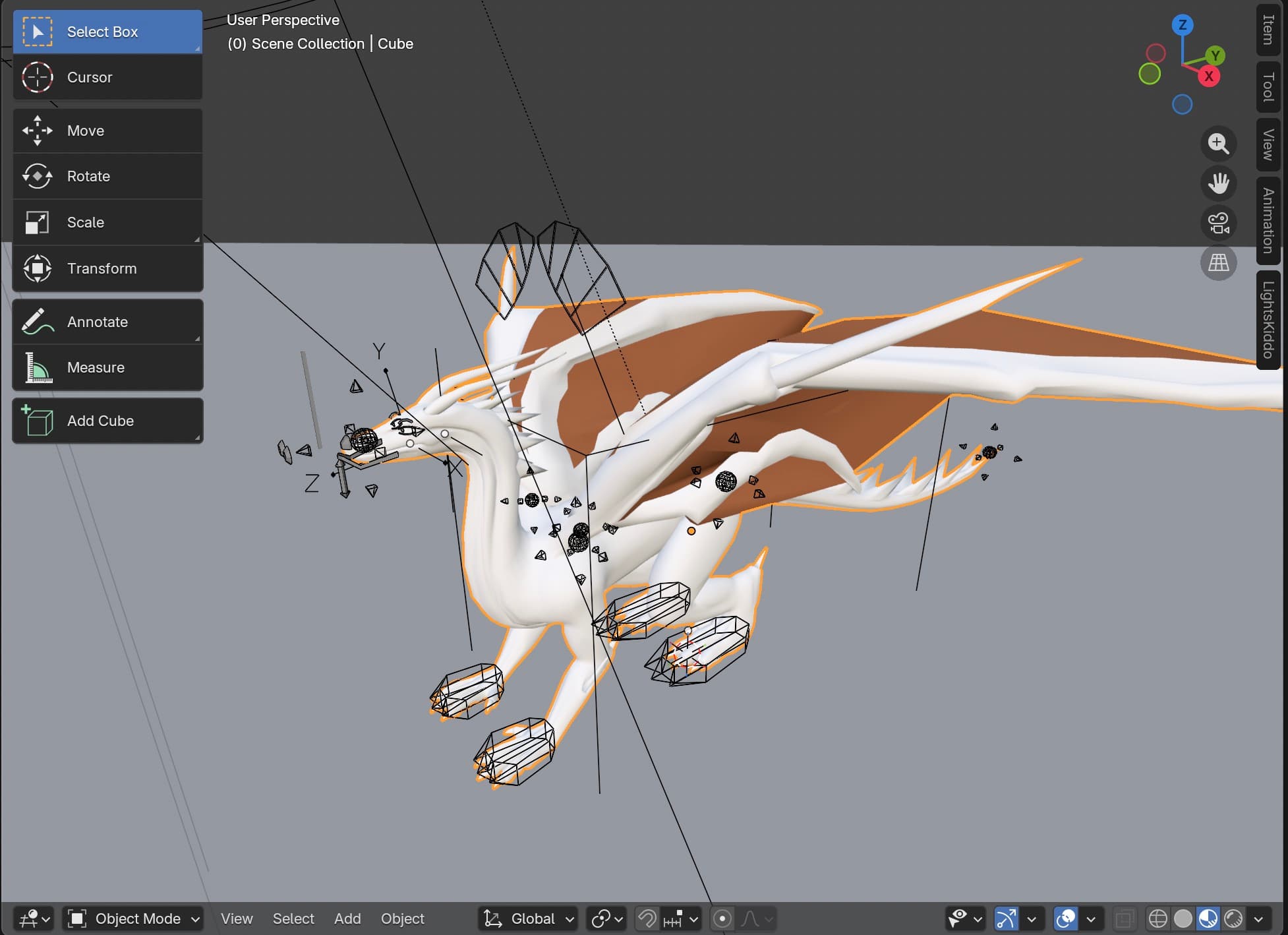
A dragon model open in Blender, handed off to LightsKiddo
Video Editing

Shotlist to timeline in Premiere Pro.

Our extension syncs both ways. Commits and assets move through Light. You never re-import.
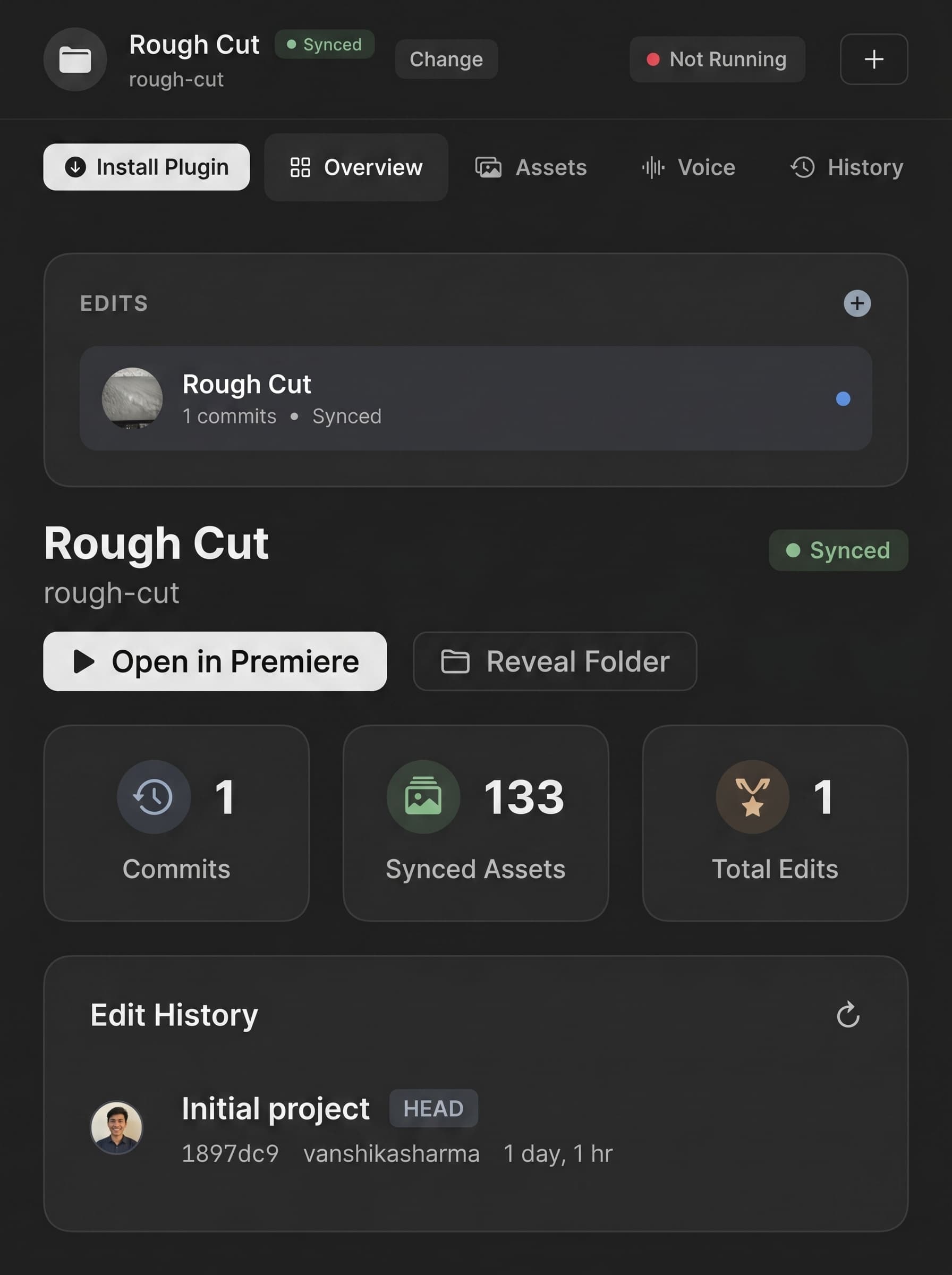
LightsKiddo plugin running inside Adobe Premiere Pro
Audio & Music

Score and scratch in Ableton Live.

Locked to picture with scene markers. ADR drops on the right timecode automatically.
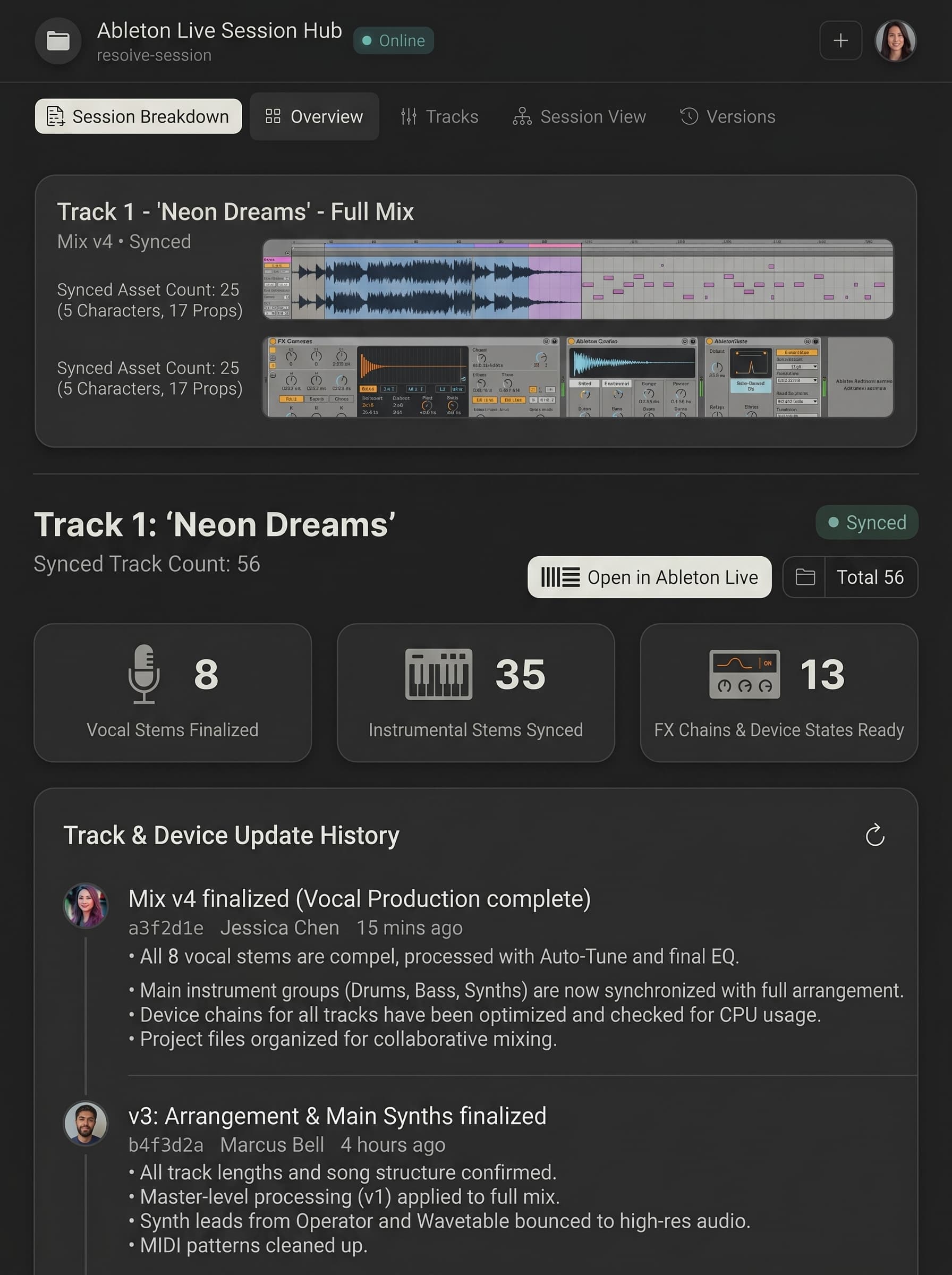
Score and scratch in Ableton Live
Director's CutSynced
agni-directors-cut-v4
Director's Cut
agni-directors-cut-v4
Synced
24
Commits
187
Synced Assets
3
Total Edits
Edit History
Tighten pacing in Act II
Aryan · 2h ago · 3 scenes affected
e4f2a1c
Add establishing shots from AI Daily
Sara · yesterday · 5 scenes affected
b7d0c33
Sync footage from set · Day 3
Bill · 2d ago · 12 scenes affected
91f4e28

Edit History
Rough
3 commits
Director's Cut
7 commits
COMMITS on Rough
Tighten pacing in Act II
Aryan [AD1] · 2 hours ago · 3 scenes affected
Add establishing shots
Sara [ED2] · Yesterday · 5 scenes affected
Initial assembly
Aryan [AD1] · 3 days ago · 12 scenes affected

Ultra_closeup_of_202509301645A_beautiful_little_1080p_202512171845
00:01:28:00
:00:00
00:00:30:00
00:01:00:00
00:01:30:00
00:02:00:00
🔒V3👁
🔒V2👁
🔒V1👁
🔒A1MS🎤
🔒A2MS🎤
🔒A3MS🎤
LightsKiddo Edit Room
redo the final cut
Processing...
sync footage to script
just now

Integrations

Every format you work with

The Index

What’s happening

FAQ

Does Light replace my existing tools?

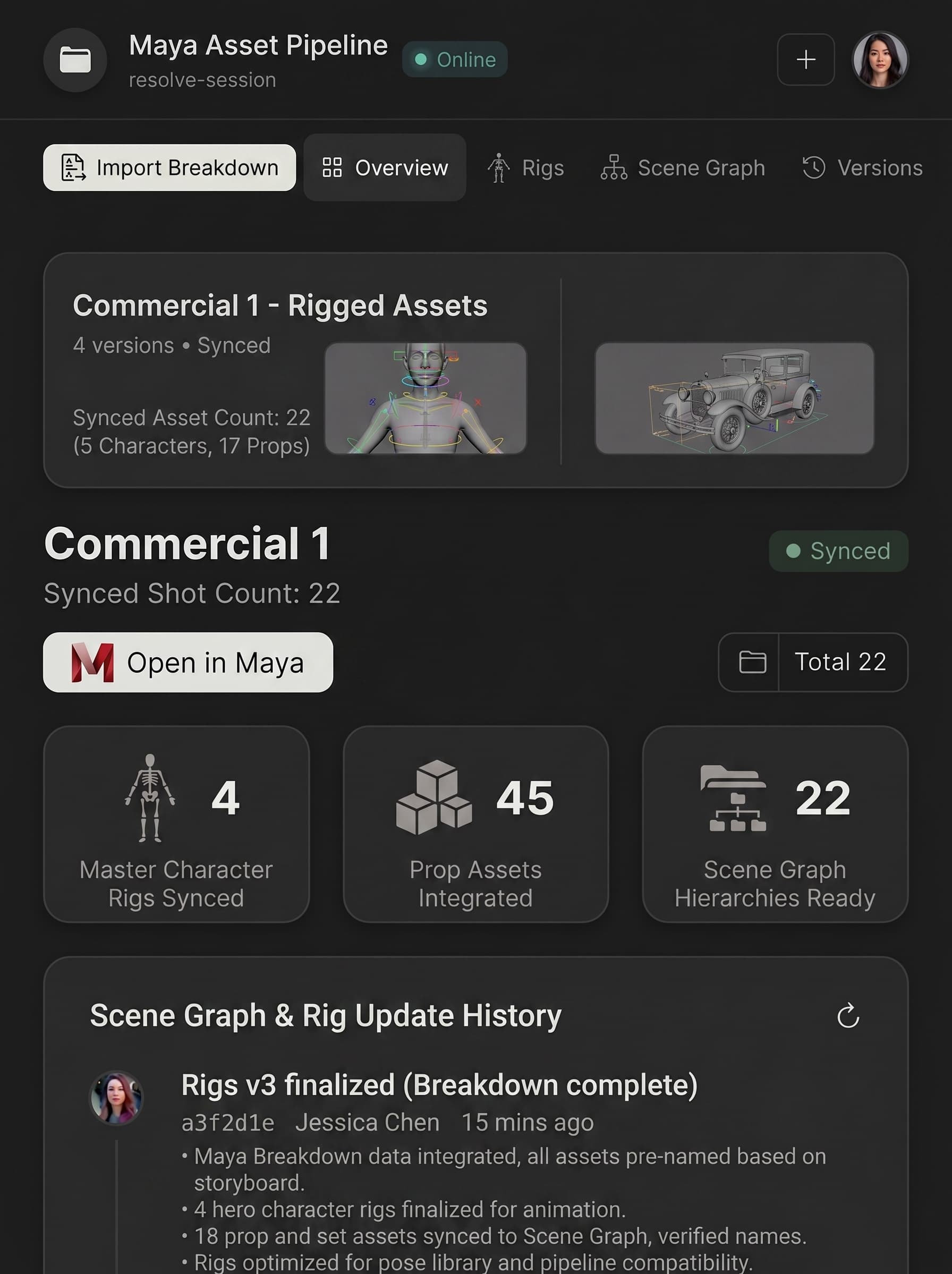
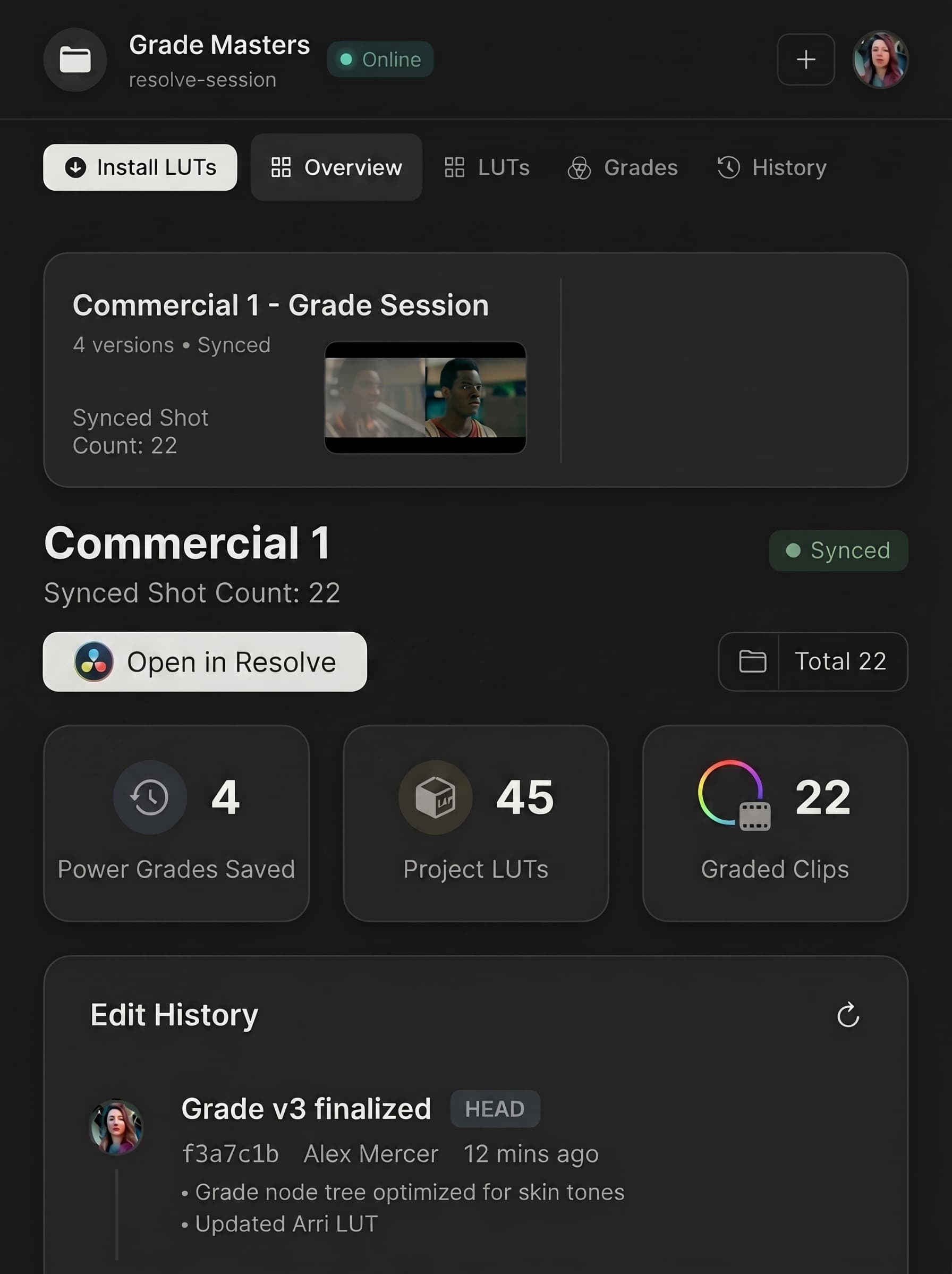
No. It connects them. Light works across the software your teams already use — Blender, Maya, Unreal, Avid, Resolve — and our agents run natively inside them, building a first pass and syncing assets and edits back to the production. Keep your pipeline. What Light replaces is the folder of documents that happen to mention each other.

Is my data private and secure?

Content stays inside your environment, encrypted in transit and at rest. Access is role-based and enforced on every request, so people see only what their position on the production allows. TPN assessment is in progress; SOC 2 is underway.

Who is Light built for?

All cast and crew. The graph is one source of truth, and each department gets the view it needs from it — development executives and producers through concept and ingest; line producers, UPMs, first ADs and script supervisors through breakdown; directors, DPs and VFX supervisors through visual planning; first ADs and UPMs through the board, the rundown and the call sheet; line producers, accountants and financiers through the budget; DITs and script supervisors on the floor; studio executives and financiers across the slate. Nobody is re-typing another department's work.

How does Light handle changes during production?

Change a node and the system knows what went stale. Affected elements flag. The schedule re-derives. The budget re-costs. Call sheets rebuild. The change propagates in minutes, and it is fully reversible. You can also ask what a change costs before you commit to it — losing the harbor location gets priced holistically in plain language, rather than surfacing as hidden costs weeks later.

Does Light use AI to take over creative decisions?

No. AI produces the first pass; you decide what survives it. Breakdowns, shot plans, schedules and budgets are proposed against your material and your constraints, and every change is reviewable and fully reversible before it lands. On set, local models run as real-time script and continuity supervisors — catching what a fourteen-hour day makes people miss. The judgment stays with your department heads.

What happens if I stop using Light mid-project?

Your content never left. It lives inside your environment throughout, so scripts, breakdowns, schedules, budgets and call sheets stay where they already are. The graph is a layer over your production, not a container holding it.

How much does Light cost?

We have three different enterprise licenses — schedule a demo to see more.

Is Light available now?

Yes. Sandbox deployments underway at majors and established independents. We work like a foundry rather than a vendor: our engineers embed with your production and studio and build against your workflows and SOPs. Onboarding is us learning your processes, not your team learning new software.

Can Light integrate with my camera and NLE?

Yes, on both ends. Live camera control across Sony, ARRI and Blackmagic, with recorded takes matched back to their shot nodes automatically. On the edit and visual side, Avid and Resolve alongside Blender, Maya and Unreal — with our agents running natively inside them to create a first pass and sync assets and edits back to the production.

Start your next project in Light

Schedule a demo